

Proof of Humanity Tutorial: Register & Vouch
This tutorial covers the Proof of Humanity 2.0 registration process: registering your profile, the validation process, and vouching for others. To challenge or remove profiles, see the Remove & Challenge tutorial.Phase 1: Register Your Profile
1
Access the dApp
Navigate to the PoH v2 application, where you can view recently registered profiles.
2
Connect your Web3 wallet
Click Connect in the upper right corner and select your wallet from the popup menu. Review the Proof of Humanity Registry Policy via the Policy button before proceeding.
3
Click Register
Once your wallet is connected, the Register button appears in the top menu.
Registration information
Before you start, keep these requirements in mind:- One human = one active profile. Duplicate simultaneous submissions face challenges and deposit loss.
- V1 users must claim their previous Humanity ID or register correctly on v2.
- Choose the appropriate action: Renew (update an existing v2 profile), Claim Humanity (expired v1 profile), or Revoke (remove a profile).
1
Information
Confirm the wallet address to associate, provide your official or commonly known name, and check the consent box acknowledging the permanent wallet-identity link. Click Next.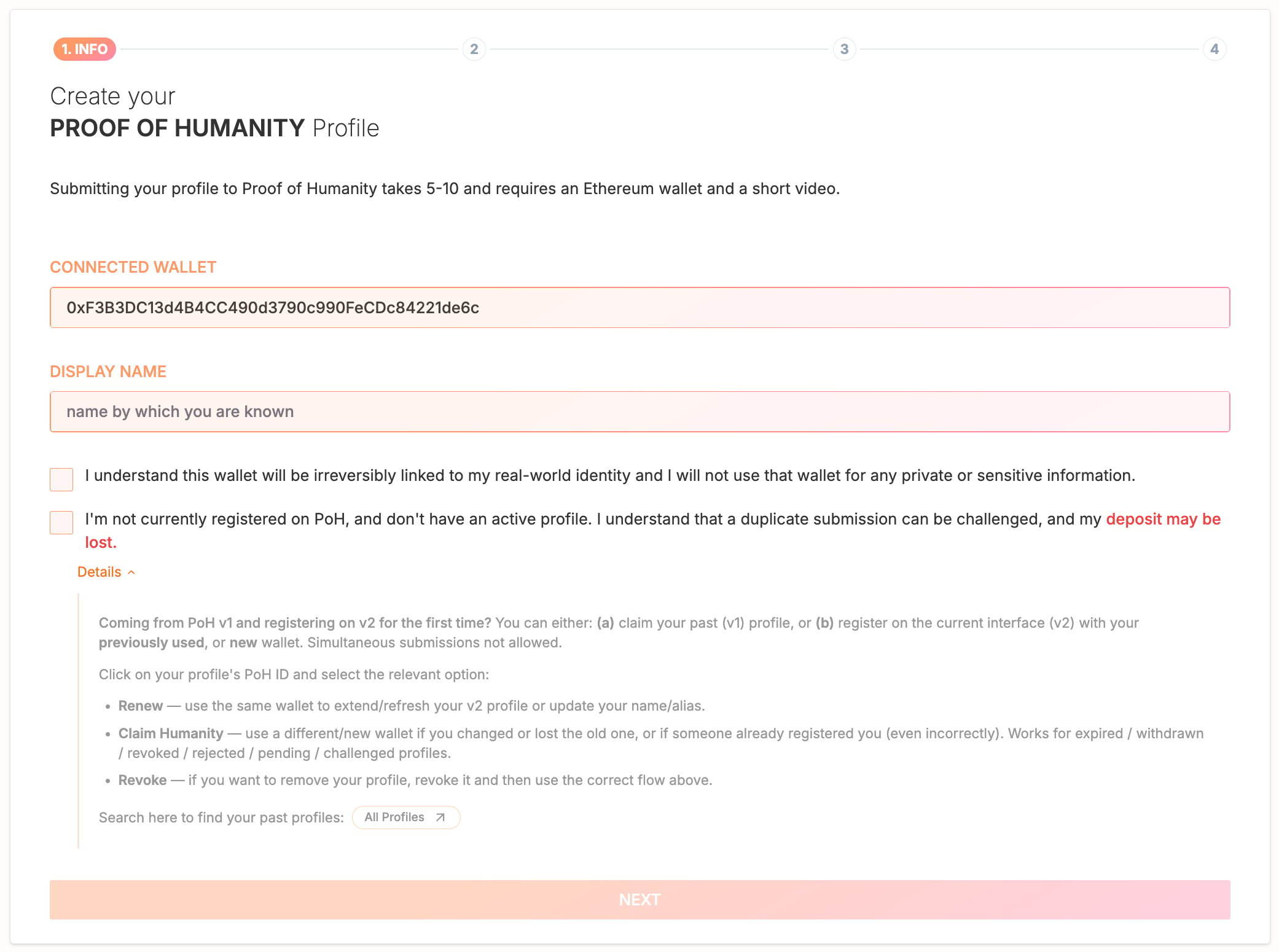
2
Photo
Review the photo guidelines and checklist, capture a photo using the app camera (with optional cropping), and click Ready when satisfied or Retake to change it.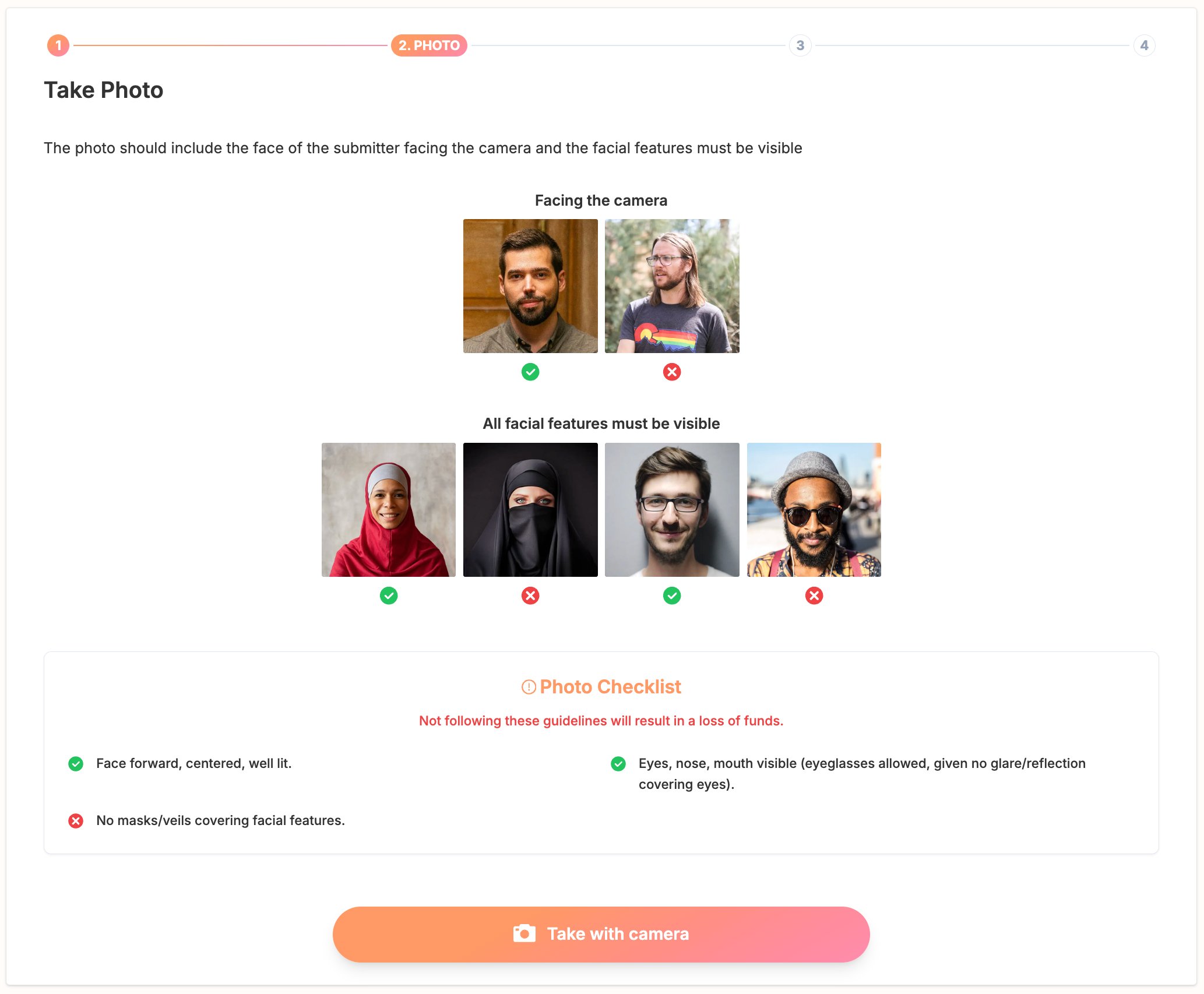
3
Video
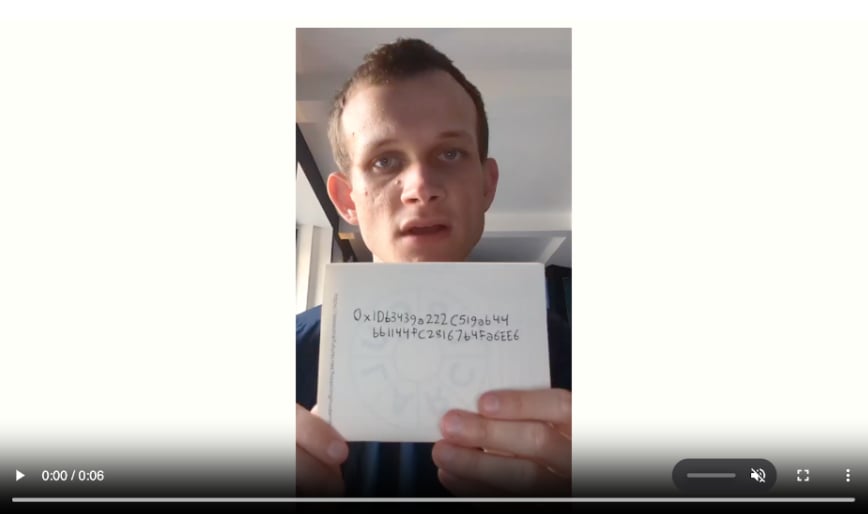
Record a video showing your face clearly and a sign displaying your complete wallet address (printed, written, or on screen), while saying:“I certify that I am a real human and that I am not already registered in this registry”Verify the video meets the checklist requirements before proceeding.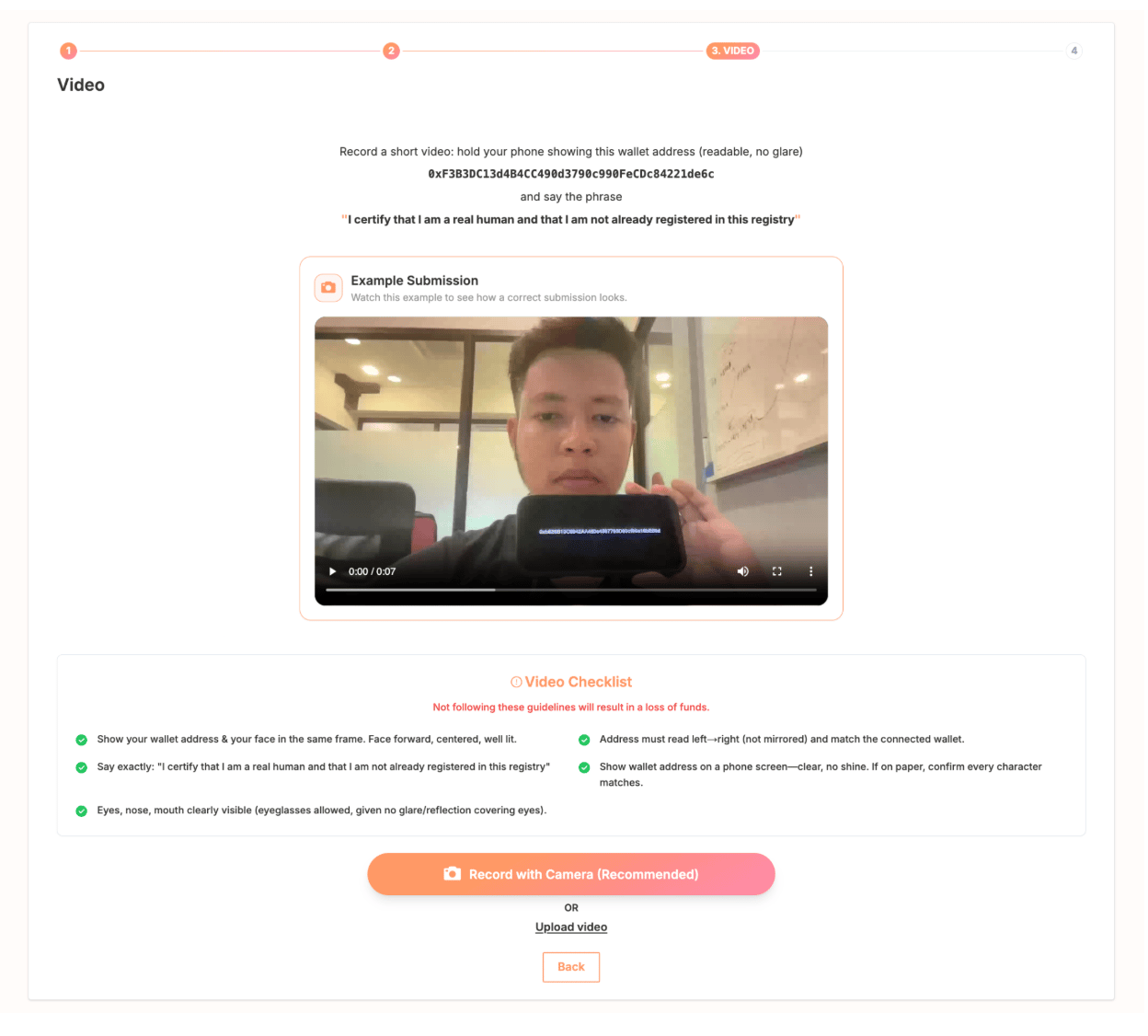
4
Finalize registration
Double-check all submitted information and enter the required deposit. The deposit is locked with your submission: it incentivizes challengers and covers arbitration fees. Successful registration returns it; a failed registration means losing it.Make sure you have enough xDAI or ETH for the deposit and transaction fees. Submissions are final, with no editing after submission.Click Sign In, wait for the media upload to complete, and confirm the transaction in your wallet.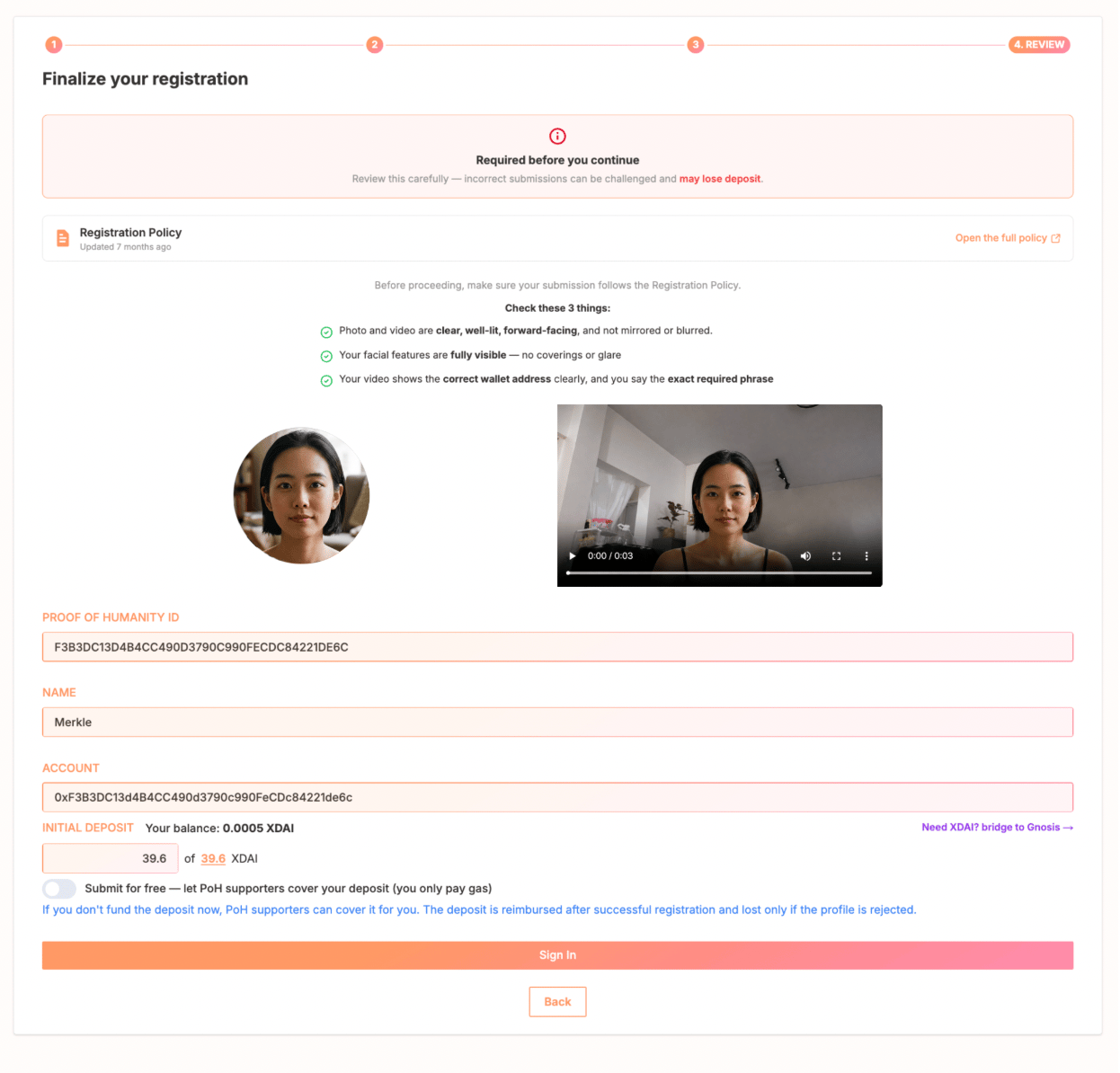
Phase 2: Subscribe to Notifications
The notification system is under development. Until it launches, check your profile status manually.Phase 3: Profile Validation (~3-5 days)
Profiles progress through: Needs Vouch → In Review → Verified Human.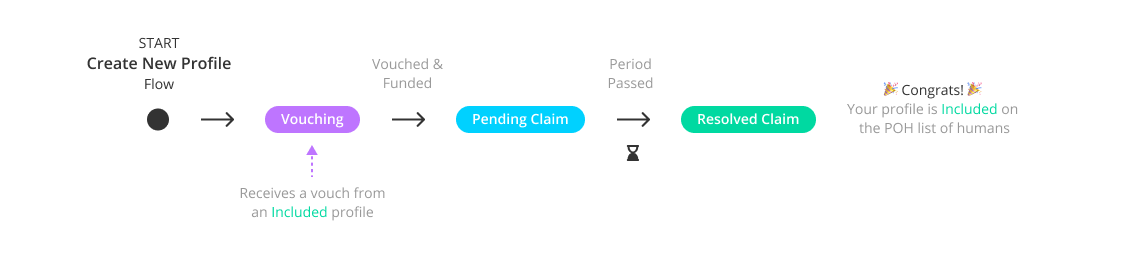
Here's a simplified flowchart that provides an overview of the different registration phases.
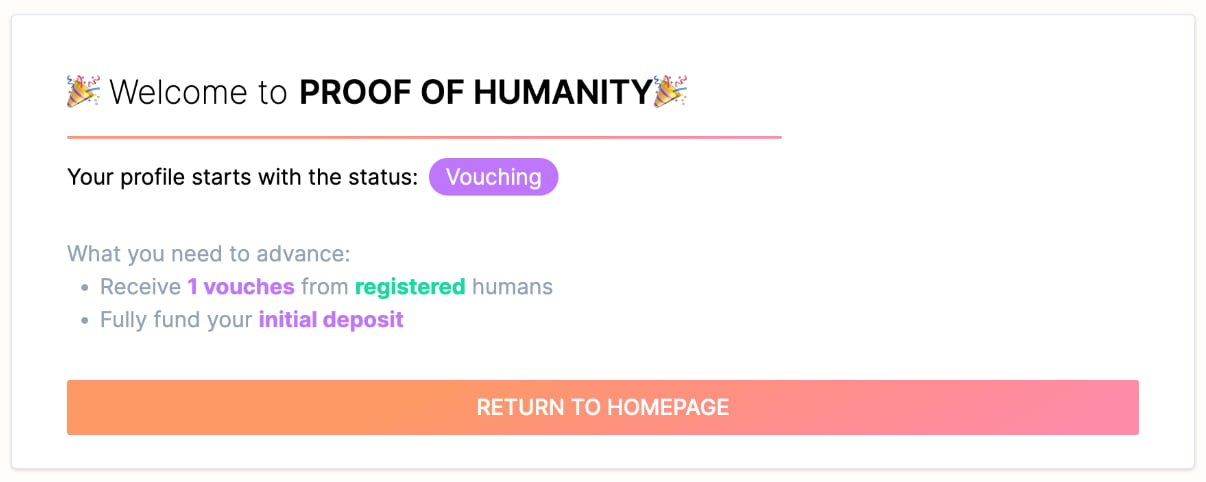
From Needs Vouch to In Review
To advance, your profile needs:- At least 1 vouch from a person with “Resolved Claim” status who knows you
- Full deposit payment (100%)
- Vouch initiation via Advance
From In Review to Verified Human
A 3.5-day challenge period lets the community verify compliance:- If challenged: a Kleros Court dispute opens. Provide evidence defending your case. Appeals are available if you disagree with the ruling.
- If unchallenged: click Execute after 3.5 days to finalize your registration. Any address can submit this transaction. Your deposit is refunded on completion.
Phase 4: Vouch for Another Profile
You must be connected to the app and have “Verified Human” status.1
Find the profile
Navigate to the target profile via a shared link or name search.
2
Vouch
Click the Vouch button on their profile and sign the message from your wallet.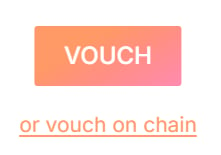
- Vouch: free, no transaction fees, non-revocable
- Vouch on-chain: requires transaction fees, but can be removed while the profile is in the “Needs Vouch” phase
What’s Next?
Remove & Challenge Tutorial
Challenge non-compliant profiles or remove your own
Proof of Humanity Product Page
Learn how the registry works